
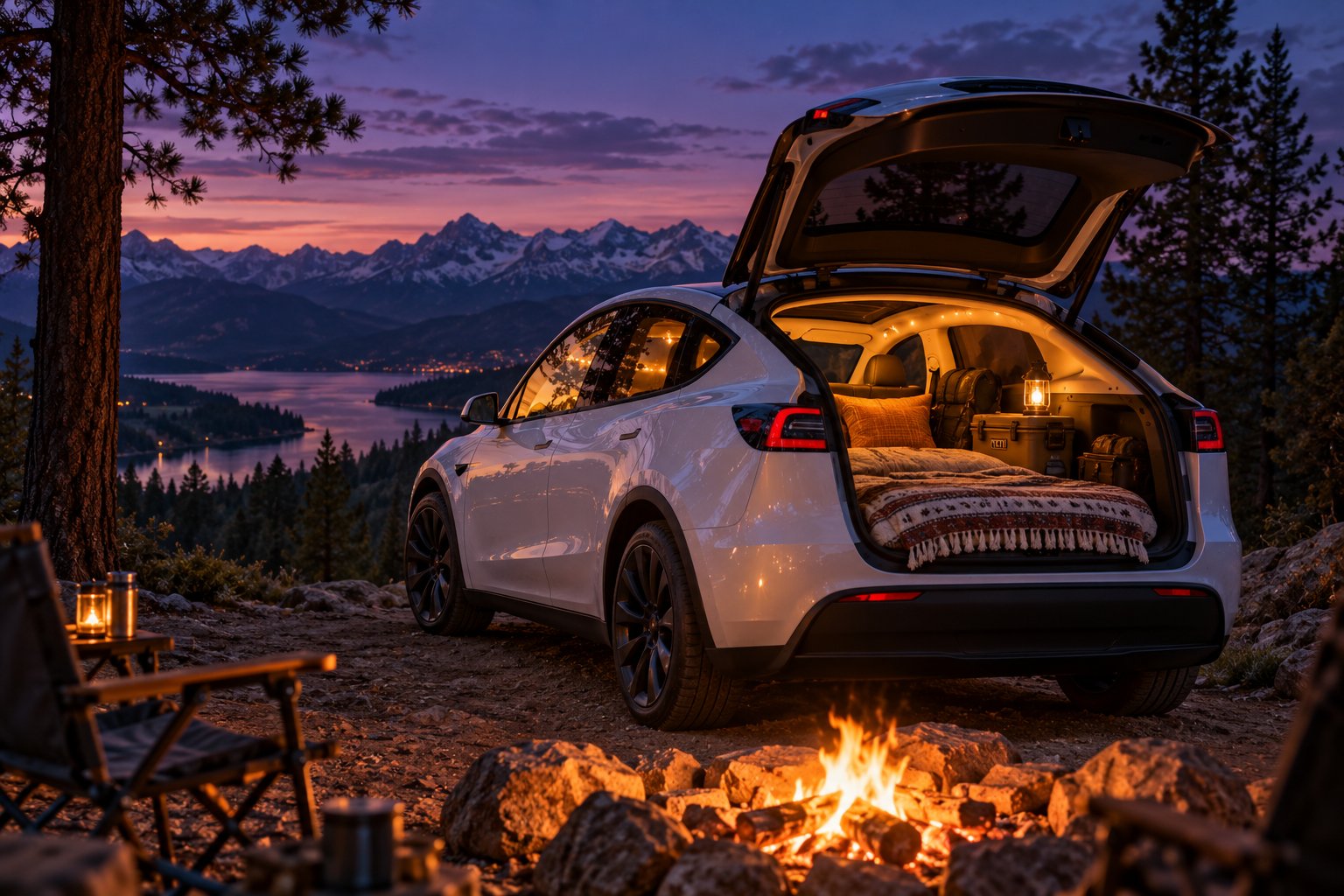
What Is Tesla Camp Mode and Why Battery Drain Matters
Tesla Camp Mode is a built-in vehicle feature that keeps the climate control system, interior lights, USB charging ports, touchscreen, and 12V outlet fully operational while the car sits in Park. It transforms your Tesla into a climate-controlled sleeping space — silent, emission-free, and surprisingly comfortable. But one question dominates every forum thread and owner group discussion: how much battery will it actually consume overnight?
The honest answer is that tesla camp mode battery drain is not a single, tidy number. It shifts dramatically depending on outside temperature, your climate setpoint, your specific Tesla model, and even where you park. Most online sources quote a vague "one to three percent per hour" and leave it at that. That range is technically accurate, but it is not especially useful when you are trying to decide whether you can camp at a remote trailhead tonight and still reach a Supercharger 80 miles away tomorrow morning.
This article takes a different approach. Instead of one generic estimate, you will find organized drain data broken down by temperature scenario, a model-by-model battery comparison, a ranked list of every factor that influences consumption, and a step-by-step trip-planning framework so you can calculate your own overnight battery budget with confidence.
What Tesla Camp Mode Actually Does
Think of Camp Mode as a specialized low-power state engineered for extended occupancy. It prevents the vehicle from entering deep sleep, disables the security alarm and walk-away door lock, and commands the high-voltage battery to maintain your chosen cabin temperature. The HVAC system runs at a steady, regulated draw rather than cycling aggressively on and off. USB ports stay powered for charging phones or laptops, the touchscreen gives you access to streaming, music, and games, and interior lighting remains controllable so you can read or navigate your sleeping setup in the dark.
This is different from simply leaving the car "on." Camp Mode is purpose-built software that manages energy distribution, balances comfort against efficiency, and — critically — includes a safety cutoff. When the battery drops to a threshold you set (between 10% and 20%, with 20% as the default), Low Power Mode activates and Camp Mode shuts itself off to preserve enough charge for driving.
Why Battery Drain Is the Top Concern for Overnight Campers
The anxiety is straightforward. Imagine you have driven to a scenic campsite with 60% charge remaining. You plan to sleep eight hours with the climate running, then drive 70 miles to a Supercharger the next morning. Will you make it? The answer depends entirely on how much energy Camp Mode pulls from your pack overnight — and that depends on variables most owners have never quantified.
Community-reported data from sources like the Tesla Camping subreddit and owner forums consistently shows overnight consumption ranging anywhere from 8% on a mild night to well over 30% in freezing conditions. That spread is enormous, and it is exactly why a single "average" number can be misleading or even dangerous for trip planning.
Camp Mode drain is not a fixed number — it varies dramatically based on controllable factors like your temperature setpoint and uncontrollable factors like ambient weather, which this article will systematically break down by scenario, model, and impact level.
The sections ahead unpack exactly where your battery goes during an overnight session — starting with the hourly and eight-hour drain rates that real owners consistently report across different climate conditions.
How Much Battery Does Camp Mode Use Per Hour
You want a number. Every Tesla camper does. So here is the direct answer: most owners report Camp Mode consuming roughly 1% to 3% of battery per hour under typical conditions — but that range stretches to 4% or even 6% per hour when temperatures drop near or below freezing. The reason no one can give you a single clean figure is that the climate control system is doing nearly all the work, and its energy appetite changes dramatically with the weather outside your windows.
Data gathered from owner experiences across the Tesla Camping community and dedicated camping guides consistently confirms this pattern. Rather than handing you one misleading average, the table below organizes those real-world reports into condition categories so you can match the row that fits your planned trip.
Typical Hourly Drain Rates Reported by Owners
Does camp mode use a lot of battery? It depends almost entirely on how hard the HVAC system has to fight the air outside. On a 65°F evening, the compressor and heater may barely cycle at all — the system mostly pushes air through the cabin fan on low speed. On a 25°F night, the heater runs nearly nonstop to maintain a livable sleeping temperature. That difference alone accounts for a two- to five-fold swing in energy consumption.
| Condition Category | Ambient Temperature | Approx. Drain per Hour | Approx. Range Loss per Hour |
|---|---|---|---|
| Mild weather (minimal climate demand) | 59°F – 77°F (15°C – 25°C) | 1% – 2% | ~2 – 5 miles |
| Warm weather (AC cooling active) | 77°F – 95°F (25°C – 35°C) | 2% – 3% | ~5 – 8 miles |
| Cool weather (moderate heating) | 41°F – 59°F (5°C – 15°C) | 2% – 4% | ~5 – 10 miles |
| Near freezing (heavy heating) | 23°F – 41°F (-5°C – 5°C) | 4% – 6% | ~10 – 16 miles |
| Extreme cold (resistive heater likely engaged) | Below 23°F (below -5°C) | 3%+ (limited data) | Highly variable |
The range-loss column gives you a practical way to think about the cost: on a mild night, you are losing roughly the equivalent of a short neighborhood errand every hour. In freezing conditions, that hourly cost starts resembling a moderate commute — and it adds up fast over eight hours of sleep.
What an Eight-Hour Overnight Session Looks Like
Multiply those hourly figures across a full night and the picture sharpens quickly. Owner-reported data from multi-season camping logs on Model 3 and Model Y vehicles shows overnight totals that range from a modest 8% – 15% on comfortable spring or fall evenings all the way up to 30% – 50% when temperatures hover around freezing. In mild weather, you will barely notice the difference the next morning. In winter, you could wake up with a third of your pack gone.
The number that surprises most first-time Tesla campers is the gap between summer and winter nights. Intuitively, you might expect a hot 90°F evening to be the worst-case scenario — the AC has to fight serious heat, after all. In reality, the opposite is true. Air conditioning compressors are inherently efficient machines; they move heat out of the cabin using a refrigerant cycle that delivers several watts of cooling for every watt of electricity consumed. Heating, on the other hand — especially resistive PTC heating found in pre-2021 Model 3s and older Model S and Model X vehicles — converts electricity directly into warmth at a nearly one-to-one ratio. Even modern heat-pump-equipped Teslas consume noticeably more energy heating than cooling, because the thermal gap between a 25°F night and a 68°F cabin setpoint is far larger than the gap between a 90°F night and a 72°F setpoint.
A cold winter night can drain two to three times more battery than a hot summer night — resistive heating consumes far more energy than the AC compressor, making temperature the single most important variable in your overnight battery budget.
That heating-versus-cooling asymmetry is the key insight for planning any overnight stay. A summer camping trip at a desert trailhead might cost you 15% – 25% overnight, leaving plenty of margin for a morning drive. A winter outing in the mountains could consume 30% – 50%, turning that same morning drive into a genuine range calculation. The next section breaks these scenarios down further — with specific temperature brackets and practical notes — so you can pinpoint exactly where your planned trip falls on the spectrum.
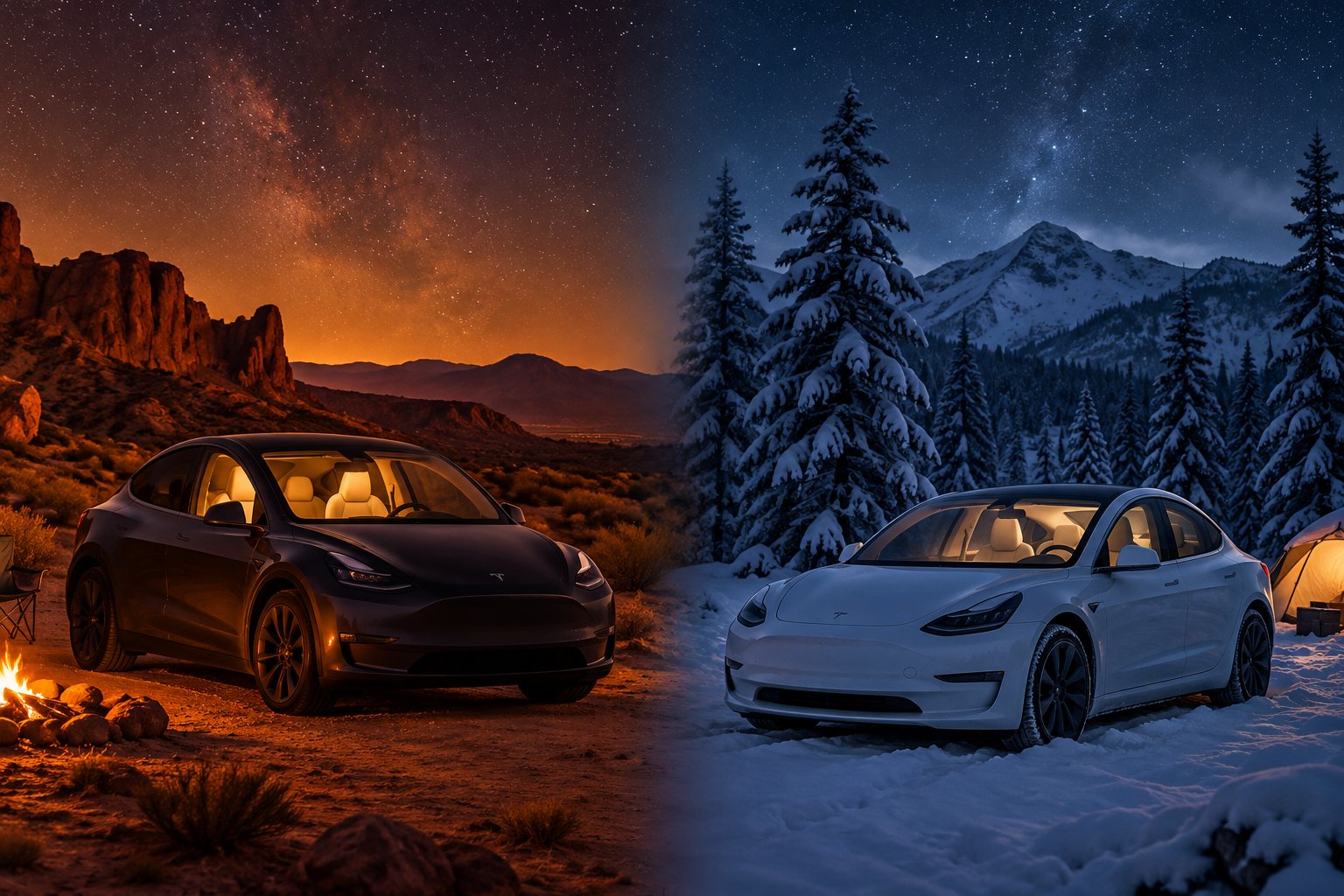
Camp Mode Battery Drain by Temperature Scenario
Generic averages are convenient, but they are terrible planning tools. A camper heading into the Colorado Rockies in January faces a completely different energy equation than someone parking at a California beach campsite in May. What does camping mode do in a tesla under each of those conditions? The same thing — maintain cabin climate — but the energy cost swings wildly depending on how hard the HVAC system has to work.
The four scenarios below cover the range of overnight conditions most Tesla campers will actually encounter. Match your planned trip to the closest bracket, and you will have a far more reliable estimate than any single "average" can provide.
Mild Spring or Fall Night Around 60-65°F
This is the sweet spot for Tesla camping. When the air outside is already close to a comfortable sleeping temperature, the climate system barely has to intervene. The HVAC compressor and heater sit essentially idle, cycling on only briefly if the cabin drifts a few degrees from your setpoint. Most of the energy goes to low-speed fan circulation and keeping the touchscreen and USB ports alive.
Owners consistently report total overnight drain of just 8% to 15% across an eight-hour sleep — roughly 1% to 2% per hour. You will wake up with barely a dent in your range, and virtually any starting charge above 40% gives you a comfortable buffer for the morning drive. If you are new to Tesla camping and want a stress-free first experience, pick a weekend with mild overnight temperatures and the battery math practically takes care of itself.
Hot Summer Night Around 90-95°F
Desert camping, southern road trips, midsummer festivals — these put the air conditioning compressor to work. The system needs to pull heat and humidity out of the cabin continuously, especially during the first hour or two when residual thermal energy radiates off sun-baked surfaces around the vehicle.
Even so, AC cooling is relatively efficient. The compressor leverages a refrigerant cycle that delivers multiple watts of cooling for every watt of electricity it draws. Real-world overnight data from Model 3 and Model Y owners places warm-weather drain at roughly 2% to 3% per hour, totaling 15% to 25% over a full night. That is noticeably more than a mild evening, but still very manageable. Parking in shade and deploying reflective sunshades on the glass roof can shave meaningful percentage points off the total by reducing the thermal load the compressor has to fight.
Cold Winter Night Around 30-40°F
Here is where the energy bill climbs fast. Heating a cabin is fundamentally more expensive than cooling one in an EV, and the gap between a 35°F exterior and a 68°F sleeping temperature forces the system to run hard. Models equipped with Tesla's Octovalve heat pump fare better — the heat pump moves existing thermal energy rather than generating it from scratch, using as little as a quarter of the energy that a resistive heater would demand in some conditions. Older vehicles relying solely on PTC resistive heating, however, face a steep penalty.
Expect hourly drain in the 4% to 6% range, with eight-hour totals commonly landing between 30% and 50%. That is a serious chunk of your pack. Arriving at camp with 65% to 75% charge is a reasonable minimum for this scenario, and lowering your climate setpoint by even two or three degrees — then compensating with a warm sleeping bag or duvet — can meaningfully reduce the overnight cost.
Extreme Cold Below 20°F
Sub-20°F camping pushes the climate system to its limits. The heat pump's efficiency drops as the temperature differential widens, and the resistive heater may kick in to supplement it — even on newer models. Thermal bridging through Tesla's large glass roof and windows accelerates heat loss, forcing the system to run at or near maximum capacity for hours on end.
Reliable community data in this range is limited, but owners who have tested it report drain rates that exceed the 30% to 50% bracket seen around freezing. Engineering-focused owner groups recommend arriving as close to full charge as possible and treating this as a high-risk planning scenario. At these temperatures, the practical question shifts from "how much will it drain?" to "is unplugged Camp Mode the right choice at all?" If a powered campsite with EV charging is available, this is the scenario where plugging in stops being a convenience and becomes a near-necessity.
All Four Scenarios at a Glance
| Temperature Range | Climate Demand Level | Estimated Drain Severity | 8-Hour Overnight Total | Practical Notes |
|---|---|---|---|---|
| 60-75°F (mild spring/fall) | Minimal | Low | 8% – 15% | Best-case scenario. Almost any starting charge works. Ideal for first-time Tesla campers. |
| 77-95°F (hot summer) | Moderate (AC cooling) | Moderate | 15% – 25% | AC compressor is efficient. Park in shade and use sunshades to reduce load. |
| 23-40°F (cold winter) | High (active heating) | High | 30% – 50% | Heating costs far more than cooling. Heat-pump models have a clear advantage. Lower your setpoint and layer up. |
| Below 20°F (extreme cold) | Very high (sustained heating) | Very High | 50%+ (limited data) | Resistive heater may supplement heat pump. Plan for worst case. Plugging in is strongly recommended. |
These figures represent community-reported ranges and observed patterns from real-world overnight stays — not manufacturer specifications or laboratory measurements. Your actual drain will depend on your exact climate setpoint, vehicle insulation, wind exposure, and whether you use accessories like window covers or thermal bedding.
Temperature, though, is only half the equation. The same 30°F night produces very different results depending on whether you are sleeping in a Model 3 Standard Range with a smaller pack or a Model S Long Range with nearly double the usable capacity. That percentage-to-miles translation is where model-specific differences start to matter — a lot.
Model-by-Model Battery Drain Comparison
A percentage is just a percentage — until you realize what it represents in actual driving range. Imagine two Tesla owners parked side by side at the same campsite on the same 35°F night. Both wake up to find Camp Mode consumed roughly 30% of their pack. One drives a Model 3 Standard Range with about 60 kWh of usable capacity; the other has a Model S Long Range packing 95 kWh. That identical 30% translates to roughly 18 kWh lost on the Model 3 versus approximately 28.5 kWh on the Model S — but the Model S still has about 66.5 kWh remaining compared to just 42 kWh in the smaller car. In real-world miles, the Model S owner leaves camp with significantly more range in reserve. The percentage told the same story. The miles told a very different one.
Why the Same Percentage Means Different Things Across Models
This is the conversion most online drain estimates skip entirely. When forum posts say "expect 30% overnight in cold weather," they rarely specify which model — and that omission matters enormously for trip planning. A 30% overnight hit on a current-generation Model Y Long Range with 79 kWh of usable capacity leaves about 55 kWh for your morning drive. That same 30% on a Model 3 RWD with its 60 kWh LFP pack leaves just 42 kWh. Depending on your route, elevation, speed, and weather, that 13 kWh gap could be the difference between reaching the next Supercharger comfortably and watching the range estimate tick down into single digits.
The takeaway is simple: stop thinking in percentages alone. Convert your expected overnight drain into kWh, subtract it from your pack's total usable energy, and then estimate whether the remaining kWh gets you to your next charging stop. Smaller-battery variants demand tighter math — and less room for error.
Model-by-Model Comparison Table
The table below compares current-production Tesla models across the dimensions that matter most for overnight camping: usable battery size, relative cabin volume, heat pump availability, and how those factors combine to affect your Camp Mode experience. Battery capacity figures reflect usable (not gross) capacity, which is the energy you can actually draw from the pack.
| Model & Variant | Approx. Usable Capacity (kWh) | Relative Cabin Volume | Heat Pump | Overnight Drain Impact |
|---|---|---|---|---|
| Model 3 RWD (LFP) | 60 | Compact sedan | Yes (2024+ Highland) | Smallest pack means the highest percentage-to-range sensitivity. Plan conservatively in cold weather. |
| Model 3 Long Range / Performance | 75 – 79 | Compact sedan | Yes (2021+ / Highland) | Larger pack provides a comfortable buffer. Compact cabin heats efficiently. |
| Model Y Long Range / Performance | 75 – 79 | Small SUV (larger glass roof area) | Yes (all production years) | Similar capacity to Model 3 LR, but slightly larger cabin and more glass surface may increase heating demand marginally. |
| Model Y RWD (LFP) | 60 | Small SUV | Yes (all production years) | Same smaller-pack concern as Model 3 RWD, with a slightly larger cabin to heat. Requires the most careful planning. |
| Model S Dual Motor / Plaid | 95 | Full-size sedan | Yes (2021+); resistive heating on pre-2021 | Large battery absorbs overnight drain well. Older pre-2021 units without heat pump face steeper winter costs. |
| Model X Dual Motor / Plaid | 95 | Full-size SUV (largest cabin of traditional lineup) | Yes (2021+); resistive heating on pre-2021 | Big pack offsets the bigger cabin volume. Falcon wing doors and panoramic windshield add thermal bridging area. |
| Cybertruck AWD / Cyberbeast | 123 | Full-size truck (significantly larger cabin + vault) | Yes | Largest pack in the lineup comfortably handles overnight sessions. Ideal for overlanding, though the massive cabin and vault area can increase HVAC workload. |
A few details worth calling out. Every Model Y ever built includes a heat pump, which gives it a consistent cold-weather advantage regardless of model year. Model 3 gained the heat pump with the late 2020/2021 refresh, and Model S and Model X followed in 2021. If you are camping in a pre-2021 Model 3, Model S, or Model X, your vehicle uses resistive PTC heating instead — and that draws noticeably more energy for the same cabin warmth on cold nights. Knowing your production year matters almost as much as knowing your battery size.
The Cybertruck stands apart from the rest of the lineup. Its 123 kWh usable pack is nearly double the capacity of the standard-range Model 3 and Model Y, making overnight drain almost a non-issue by percentage. However, the truck's substantially larger cabin and vault space create a bigger volume for the HVAC system to condition. For the growing overlanding community building out Cybertruck bed setups, the math still works comfortably in most scenarios — the sheer battery capacity provides a generous margin that smaller models simply cannot match.
What This Means for Your Trip Planning
The practical lesson here comes down to a single question: how many usable kWh will you have left after Camp Mode runs all night? Owners of 60 kWh standard-range variants — whether Model 3 RWD or Model Y RWD — sit on the tightest margins. A cold-weather overnight session that drains 30% leaves them with roughly 42 kWh, which translates to an estimated 120 to 140 miles of real-world range depending on speed and conditions. That is adequate if there is a Supercharger within 80 miles, but it leaves little room for headwinds, elevation gain, or unexpected detours.
Owners of long-range and performance variants in the 75 to 79 kWh range enjoy a meaningful cushion. And Model S, Model X, and Cybertruck owners have the luxury of large packs that absorb even aggressive overnight drain without threatening the morning drive.
Knowing your model's battery capacity and heat pump status is the foundation. But those are fixed hardware characteristics you cannot change. The next layer — the factors you can control, from your climate setpoint to where you park — is where the real optimization happens.
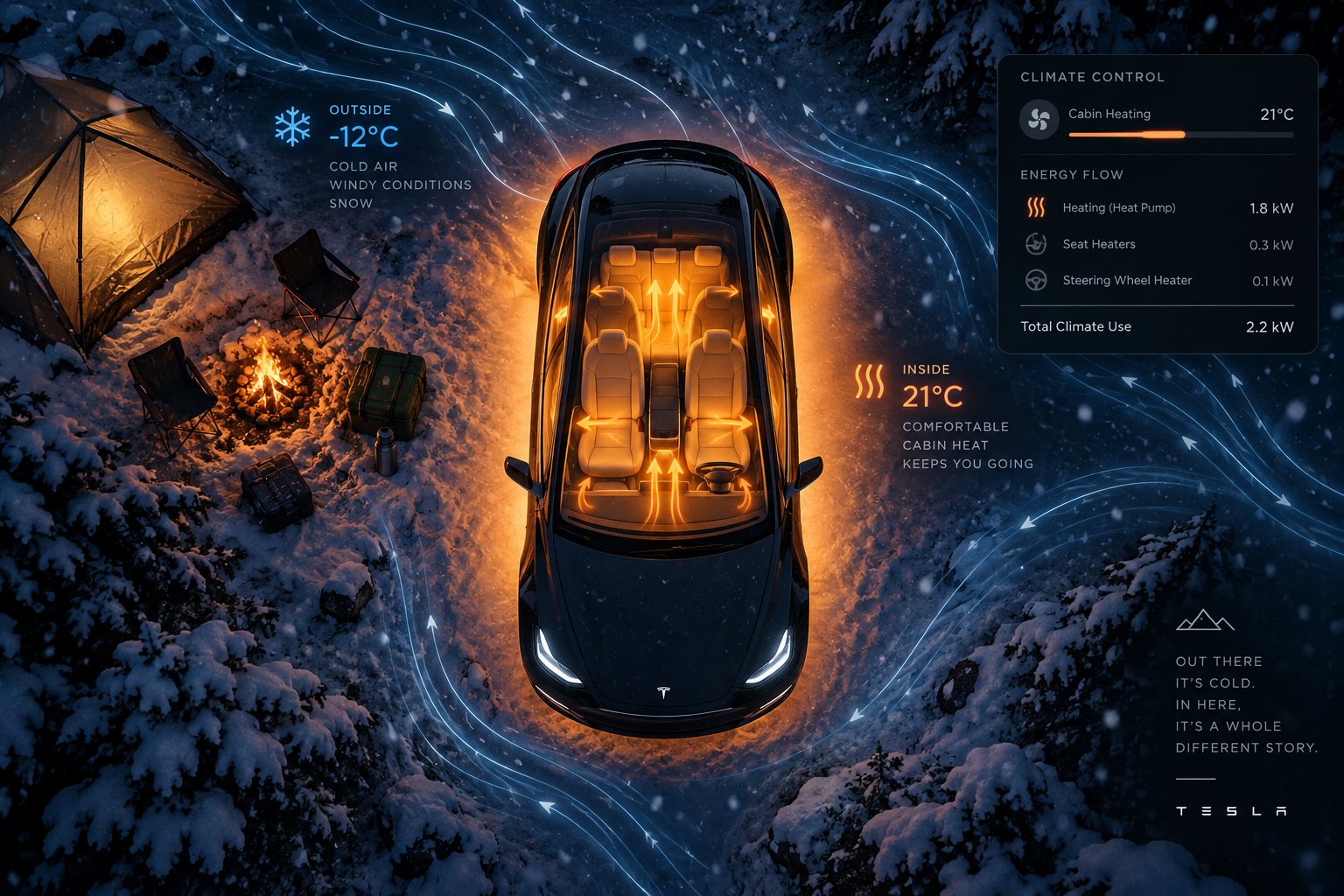
Factors That Affect Camp Mode Drain Ranked by Impact
Every Tesla camping guide mentions "factors that affect battery drain." Most of them list six or eight variables in a flat bullet list, giving equal weight to ambient temperature and screen brightness as though they matter in the same ballpark. They do not. If you have ever wondered what is draining my battery faster than expected during an overnight Camp Mode session, the answer is almost certainly one of a handful of dominant variables — and the things you might instinctively worry about, like USB charging or interior lights, barely register by comparison.
The tiered breakdown below separates every meaningful variable into three categories based on how much battery does camping mode use tesla owners can actually attribute to each. Focus your planning and optimization efforts on the top tier, consider the middle tier when conditions are tight, and stop worrying about the bottom tier entirely.
High-Impact Factors That Dominate Drain
These three variables account for the vast majority of variation in overnight energy consumption. If you only optimize for these, you have already captured most of the available savings.
- Ambient temperature: This is the single largest variable in the entire equation. The greater the gap between the air outside your Tesla and the temperature you want inside it, the harder the HVAC system works — and the more battery it consumes. A 65°F night with a 68°F setpoint creates a 3-degree differential that barely activates the climate system. A 25°F night with the same 68°F setpoint forces the heater to fight a 43-degree gap for hours on end. You cannot control the weather, but you can choose when and where you camp, and that choice alone can cut your overnight drain in half.
- HVAC setpoint temperature: Every degree matters — literally. Real-world camping data from Model 3 and Model Y owners suggests that each degree lower on the thermostat saves approximately 0.3% to 0.5% per hour in cold conditions. Setting Camp Mode to 64°F instead of 72°F on a cold night could reduce your eight-hour drain by roughly 15% to 25% of total consumption — a massive difference when you are counting every kWh for the morning drive. Pair a lower setpoint with warm bedding, and you sleep just as comfortably while keeping far more energy in the pack.
- Heating versus cooling: As discussed in earlier sections, the AC compressor is inherently more efficient than any heating method. The refrigerant cycle delivers multiple watts of cooling for each watt of electricity consumed, while resistive PTC heaters convert energy to warmth at nearly a one-to-one ratio. Even Tesla's modern heat pump, which is dramatically better than resistive heating, still draws more energy to heat a cabin than the compressor draws to cool one — because winter temperature differentials tend to be larger. This asymmetry is why a 90°F summer night often costs less battery than a 30°F winter night despite feeling more extreme.
Together, these three factors — the weather, your chosen setpoint, and whether the system is heating or cooling — explain the overwhelming majority of the difference between an 8% overnight drain and a 50% overnight drain. Everything else adjusts the margins.
Medium-Impact Factors Worth Considering
These variables will not make or break your overnight battery budget on their own, but they can meaningfully shift your drain rate by a few percentage points — enough to matter when your margins are tight.
- Number of occupants adding body heat: A sleeping human generates roughly 70 to 100 watts of thermal energy. Two adults in a compact Model 3 cabin produce enough warmth to noticeably reduce heating demand on a cool night. The climate system detects that the cabin is holding temperature more easily and dials back accordingly. In summer, the effect reverses slightly — more body heat means the AC works a bit harder — but the net benefit in cold weather is meaningful.
- Window covers and sunshades: Tesla's panoramic glass roof is beautiful for stargazing and terrible for thermal insulation. In winter, heat escapes through it constantly. In summer, residual solar radiation warms the cabin even after sunset. Installing reflective sunshades or insulated window covers creates a barrier that reduces thermal transfer through the glass. Owner testing data shows that a full set of roof and windshield sunshades can keep the cabin 14 to 20°F cooler in direct sun scenarios, and the insulating benefit at night — while smaller — still eases the HVAC workload enough to shave a measurable amount off the total drain.
- Wind exposure and parking location: Wind accelerates convective heat loss through the vehicle's surfaces. Parking in a sheltered spot — behind a building, below a ridgeline, or among trees — reduces this effect. In summer, the inverse applies: parking in shade during the afternoon means the cabin starts cooler when you activate Camp Mode, giving the system a head start. These are free optimizations that cost nothing but a few minutes of thought when choosing your spot.
- Air recirculation setting: Drawing in cold outside air that needs to be heated from ambient is more energy-intensive than recirculating already-conditioned cabin air. Switching to recirculated air mode in cold or dusty environments can reduce the HVAC system's workload. The tradeoff is slightly stuffier air over time, but for an overnight session, most campers find the freshness difference negligible.
If you are camping in comfortable conditions with plenty of charge to spare, these factors are nice-to-know but not critical. If you are pushing your range budget on a cold night with a standard-range battery, they become legitimate levers you can pull to gain an extra two to five percent of remaining charge by morning.
Low-Impact Factors That Matter Less Than Expected
These are the items that tend to get outsized attention in forum discussions despite contributing almost nothing to overall energy consumption. If you have been anxiously dimming your screen and unplugging your phone to save battery, you can relax.
- Screen brightness: The touchscreen draws a relatively small amount of power compared to the climate system. Dimming it or letting it go dark saves a negligible amount of energy. It is good practice for better sleep, but it will not materially change your battery percentage by morning.
- USB device charging: Charging a smartphone overnight draws roughly 5 to 15 watts. Even charging two phones and a tablet simultaneously barely registers against the 1,000 to 5,000+ watts the HVAC system may be pulling. You would need to run the equivalent of a small data center from your USB ports before the draw competed with climate control.
- Interior lights: The LED interior lights in a Tesla consume a trivially small amount of power. Turning them off is helpful for falling asleep, but it does essentially nothing for your range.
- Phone-as-key Bluetooth connection: The Bluetooth Low Energy connection between your phone and the vehicle draws milliwatts — a quantity so small it is virtually unmeasurable against the backdrop of Camp Mode's total consumption. Note that Tesla's owner's manual recommends turning off Bluetooth on your phone during Camp Mode to prevent the walk-away unlock feature from inadvertently unlocking the doors, but that is a security recommendation, not a battery one.
- Sentry Mode: This deserves a special mention because it is often listed as a major drain factor — but Camp Mode automatically disables Sentry Mode when activated. You do not need to turn it off manually. The camera system and FSD computer shut down, eliminating what would otherwise be a notable power draw. If you are using "Keep Climate On" instead of Camp Mode, Sentry Mode can remain active and will add to your overnight consumption — but that is a different mode entirely.
If you want to minimize tesla camp mode battery drain, focus almost exclusively on the climate setpoint and the temperature differential between inside and outside — everything else is a rounding error by comparison.
This tiered understanding reframes the entire optimization conversation. You do not need to obsess over every watt. You need to get the temperature math right. Set the cabin as low as you can comfortably sleep, use bedding to make up the difference, deploy window covers if you have them, and park smart. Those decisions handle 90% or more of the controllable drain — and they free you to actually enjoy the camping experience instead of micro-managing your touchscreen brightness at midnight.
Of course, understanding what controls drain is only half of the decision. Many Tesla owners searching for overnight efficiency data are actually wrestling with a related question: is Camp Mode even the right setting, or would Dog Mode or Keep Climate On use less energy? The answer involves some surprising differences in how each mode manages the vehicle — not just the climate system.
Camp Mode vs Dog Mode vs Keep Climate On Compared
Here is a scenario that plays out constantly in Tesla owner forums: someone plans their first overnight car-camping trip, opens the climate settings, and sees three options that all appear to do the same thing — keep the cabin at a comfortable temperature while parked. Camp Mode, Dog Mode (now labeled Pet Mode on newer software), and Keep Climate On each hold the HVAC system active, but they manage the rest of the vehicle very differently. Choosing the wrong one does not just affect your experience — it changes what stays powered, what stays locked, and how the car communicates with your phone overnight.
If you have been searching for whether tesla camp mode vs dog mode battery drain differs significantly, or wondering does dog mode use more battery than camp mode, the climate-control energy draw itself is actually similar across all three settings. The real differences lie in what else each mode does — and those differences matter far more than most owners expect.
Camp Mode vs Dog Mode vs Keep Climate On
The table below lays out every meaningful distinction side by side. Spend a minute with it, and you will never confuse these three settings again.
| Feature | Keep Climate On | Dog Mode (Pet Mode) | Camp Mode |
|---|---|---|---|
| Purpose / Intended Use | Short stops — groceries, errands, quick waits | Leaving a pet inside briefly while you stay nearby | Extended overnight occupancy and sleeping in the vehicle |
| Climate Behavior | Maintains set temperature until turned off or battery reaches 20% | Maintains set temperature; monitors cabin temp and alerts you if it shifts significantly | Maintains set temperature; HVAC runs at a steady, regulated draw optimized for long sessions |
| Screen Display | Screen turns off normally | Screen stays on displaying cabin temperature and an animated graphic to reassure passersby | Screen stays on with full access to infotainment — music, streaming, games, browser |
| USB Ports & 12V Outlet Powered | No (standard Park behavior) | No | Yes — charge devices, power accessories |
| Can Be Enabled from Tesla App | No (vehicle-only) | Yes | Yes |
| Sentry Mode Active | Yes (can remain on) | Sounds disabled, but Sentry can still operate | No — Sentry Mode and vehicle alarm are both disabled |
| Walk-Away Door Lock | Functions normally | Functions normally | Disabled — you must lock doors manually from the touchscreen or app |
| Vehicle Alarm | Active | Disabled | Disabled |
| Battery Drain Profile | Climate draw only — most energy-efficient of the three since screen and peripherals are off | Climate draw plus screen display; comparable to Camp Mode in practice | Climate draw plus screen, USB ports, and 12V outlet; marginally more than Keep Climate On |
| Shuts Off at Low Battery | Yes — at 20% (or your Low Power Mode threshold) | Yes — at 20% | Yes — at your Low Power Mode threshold (configurable between 10% and 20%) |
| Blocks Software Updates | Yes | Yes | Yes |
A few details in that table deserve emphasis. Keep Climate On is technically the most energy-efficient option because the screen, USB ports, and 12V outlet all follow normal Park-mode behavior — they power down. Dog Mode adds screen power to display the cabin temperature. Camp Mode adds everything: screen, USB, 12V, and full infotainment access. However, the climate system itself — the component responsible for the overwhelming majority of overnight drain — draws essentially the same energy across all three modes. The difference between Keep Climate On and Camp Mode in total overnight consumption comes down to the screen and peripheral power, which as discussed in the previous section, falls squarely in the "rounding error" category compared to HVAC demand.
Which Mode Is Most Battery-Efficient for Overnight Stays
If raw efficiency were the only consideration, tesla keep climate on vs camp mode would be a simple choice — Keep Climate On draws slightly less total power because fewer subsystems stay active. But efficiency in isolation is the wrong lens for overnight camping.
Camp Mode is specifically engineered for the scenario of sleeping in your Tesla. It prevents the vehicle from locking you out by disabling Walk-Away Door Lock. It powers USB ports so you can charge a phone overnight without draining its battery. It keeps the touchscreen available so you can adjust climate, play ambient music, or set a morning alarm without fumbling for your phone. And it manages the HVAC system in a way optimized for long, uninterrupted sessions rather than the short-duration use case that Keep Climate On was designed for.
Dog Mode, meanwhile, serves a fundamentally different purpose. It displays the cabin temperature prominently on screen so that concerned bystanders can see your pet is safe — a thoughtful feature for a quick grocery run, but not something you need at 2 AM in a campground. Tesla's own documentation explicitly states that Dog Mode is intended for short periods while you stay in close proximity and actively monitor the temperature through the app. It is not designed for extended unattended operation, and it is certainly not designed for human overnight occupancy.
The practical energy difference between Camp Mode and Keep Climate On over an eight-hour night amounts to a percent or two at most — the cost of keeping the screen and USB ports alive. That tiny margin buys you a dramatically better overnight experience: controllable lighting, device charging, infotainment access, and a vehicle that will not accidentally lock you inside or outside the cabin.
When to Use Each Mode
Matching the right mode to the right situation eliminates both confusion and unnecessary drain. Here is the quick-reference guide:
- Camp Mode — Use for overnight sleeping, extended road-trip naps, or any scenario where you or a passenger will remain inside the vehicle for an hour or more. It is the only mode purpose-built for human occupancy during extended sessions.
- Dog Mode (Pet Mode) — Use when leaving a pet inside the car during short stops — a restaurant, a store, a brief errand. Stay nearby, keep your phone connected, and monitor the cabin temperature through the Tesla app. Never rely on it for extended unsupervised periods.
- Keep Climate On — Use for quick stops where you simply want the cabin to stay comfortable until you return. Running into a store, picking up takeout, waiting for a passenger. No screen message, no special features — just climate maintenance at the lowest possible energy cost.
One final note that catches people off guard: all three modes stop operating if the battery drops to 20% (or whatever Low Power Mode threshold you have configured). Tesla sends a notification through the app when this happens, but if you are asleep in the car, you will notice the cabin temperature changing before you check your phone. This safeguard exists to protect the battery, and it reinforces a point that applies regardless of which mode you choose — proactive charge planning always beats reactive alarms at 3 AM.
That planning dimension — calculating whether your starting charge covers both the overnight session and the morning drive — is exactly what separates a relaxing camping trip from a stressful one. The mode comparison is settled; the battery budget math is next.
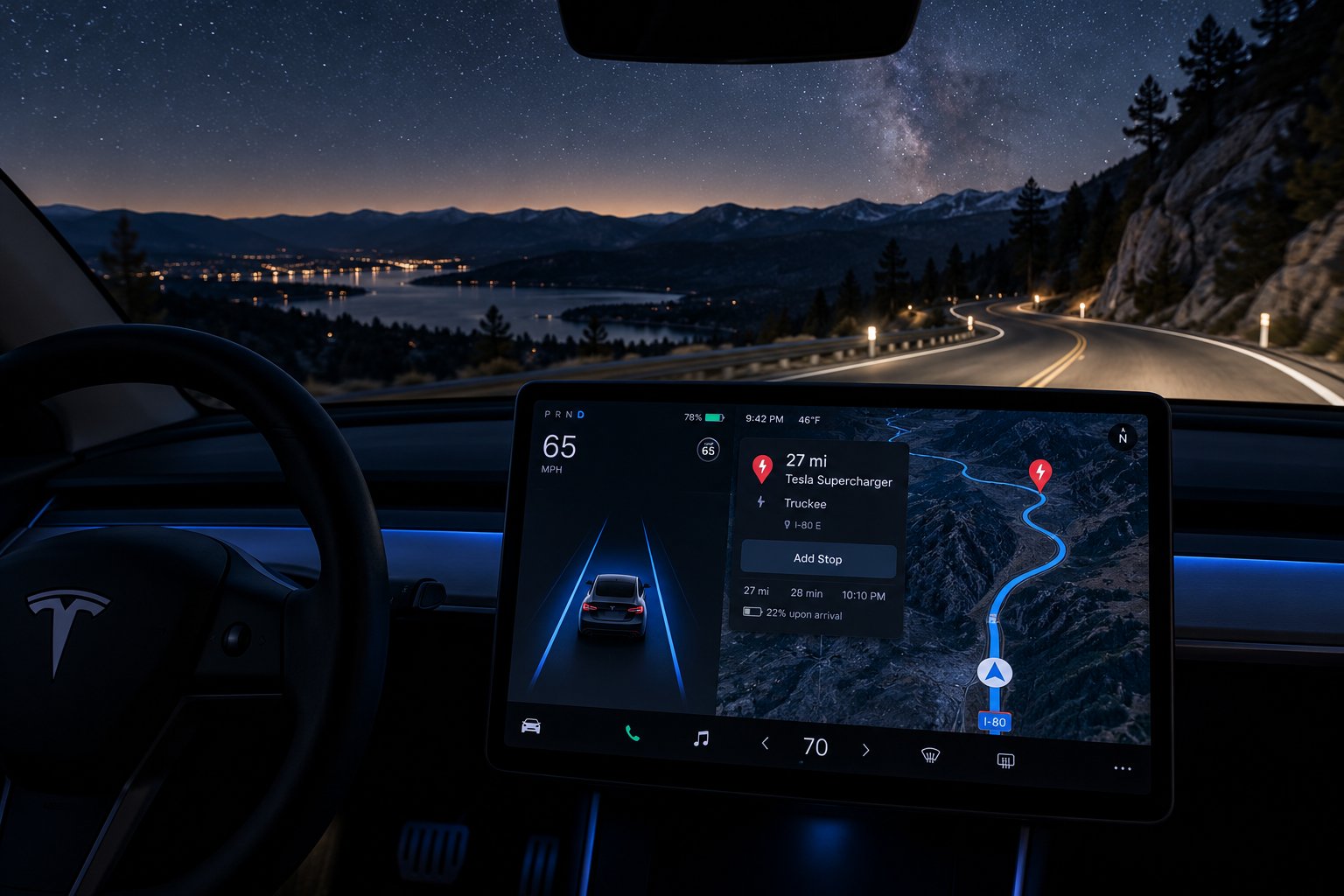
Planning Your Overnight Camp Without Range Anxiety
Every data point in this article — the hourly drain rates, the temperature scenarios, the model comparisons, the mode differences — feeds into one decision that actually matters: can you camp tonight and still reach your next charger tomorrow morning? That is the real question behind almost every tesla camping range anxiety planning search. You are not looking for trivia. You are trying to figure out whether the math works before you commit to an unplugged campsite 90 miles from the nearest Supercharger.
The good news is that this math is straightforward once you know the inputs. The framework below turns vague worry into a concrete yes-or-no answer you can calculate in under two minutes.
Calculating Your Overnight Battery Budget
Think of your battery as a budget with three mandatory line items. If the total exceeds what you have, you need to adjust the plan — not hope for the best. Here is how to run the numbers:
- Note your current state of charge. Check the percentage and, if possible, the estimated miles remaining on the touchscreen or Tesla app before you activate Camp Mode. This is your starting budget.
- Estimate your overnight Camp Mode drain. Use the temperature scenario table from earlier in this article. Match tonight's forecast low to the closest bracket. If the overnight low is 35°F and you are setting the cabin to 66°F, plan for a high-demand heating scenario — roughly 30% to 50% over eight hours, depending on your model and whether it has a heat pump. When in doubt, use the higher end of the range.
- Estimate the energy needed to reach your next charging stop. Use your Tesla's navigation system to calculate the route. Factor in elevation changes, expected highway speed, and morning weather. Cold air reduces driving efficiency too — not just Camp Mode efficiency — so a winter morning compounds the problem. Tesla's energy graph and trip planner provide consumption estimates, but treat them as optimistic baselines rather than guarantees. Tesla's Trip Planner can also help you locate Superchargers and Destination Chargers along your route before you leave home.
- Add a safety buffer. Subtract an extra 10% to 15% beyond what the drive requires. This covers unexpected detours, headwinds, a cold battery that has not warmed up to full efficiency yet, or a Supercharger that turns out to be temporarily offline.
- Do the subtraction. Starting charge minus overnight drain minus driving energy minus safety buffer equals your remaining margin. If that number is positive, the plan works. If it is zero or negative, you need more charge before camping — or a campsite closer to your next charger.
Here is a quick example. You arrive at a mountain campsite with 75% charge in a Model Y Long Range on a 38°F November night. You estimate 35% overnight drain (cold weather, moderate heating) and need about 25% to drive 70 miles to the next Supercharger the following morning. Add a 10% safety buffer. That totals 70% — leaving you with a 5% margin. Tight, but workable. Drop the cabin setpoint a couple of degrees, use a warm sleeping bag, and the margin grows. Arrive with only 60% under the same conditions, and the numbers no longer add up. That is the moment to find a powered campsite or charge more before settling in.
Building in a Safety Buffer
The buffer is not optional — it is insurance against variables you cannot predict the night before. Cold batteries deliver less range per kWh in the first miles of a morning drive before they warm up. Mountain routes with elevation gain consume more energy than flat highways. And how much charge do i need for tesla camp mode overnight always depends partly on things you will not know until morning: did the temperature drop further than forecast? Did you wake up at 3 AM and bump the heat up two degrees?
A 10% buffer is reasonable for mild conditions and short drives to the next charger. In cold weather, increase it to 15% or even 20%. Tesla's in-car navigation adjusts its range estimates based on real-time conditions, so check the projected arrival charge at your next Supercharger before you leave the campsite — if the estimate looks uncomfortably low, slow down or reroute to a closer charger.
Tesla's Built-In Safeguards
Will tesla camp mode drain battery to zero? No — and this is an important safety detail. Tesla's battery management system enforces a hard floor. As noted in the Model 3 and Model Y owner's manuals, Camp Mode automatically shuts off when the battery reaches your configured Low Power Mode threshold. That threshold is adjustable between 10% and 20%, with 20% as the factory default. Once triggered, the vehicle preserves the remaining charge so you can drive to a charger.
That safeguard protects the battery — but it does not protect your sleep. When Camp Mode shuts off, the climate system stops. On a 30°F night, the cabin temperature drops rapidly, and you will wake up cold well before morning. The tesla camp mode minimum battery level setting exists as a last resort, not a planning tool. Relying on it means accepting the possibility of a 4 AM wake-up call from a freezing cabin. Proactive math — run before you settle in for the night — is always the better strategy.
Plan to arrive at your campsite with enough charge to cover the overnight Camp Mode session, plus the drive to your next charger, plus a 10-15% safety margin — and you will never have to rely on Tesla's automatic shutoff to make the decision for you.
The battery math covers whether the trip is feasible. But feasibility and comfort are two different things. A perfectly planned charge budget still leaves you sleeping on a bare cargo floor if you have not thought about the physical setup — and that is where the right sleeping system turns a viable overnight stop into one you actually look forward to.
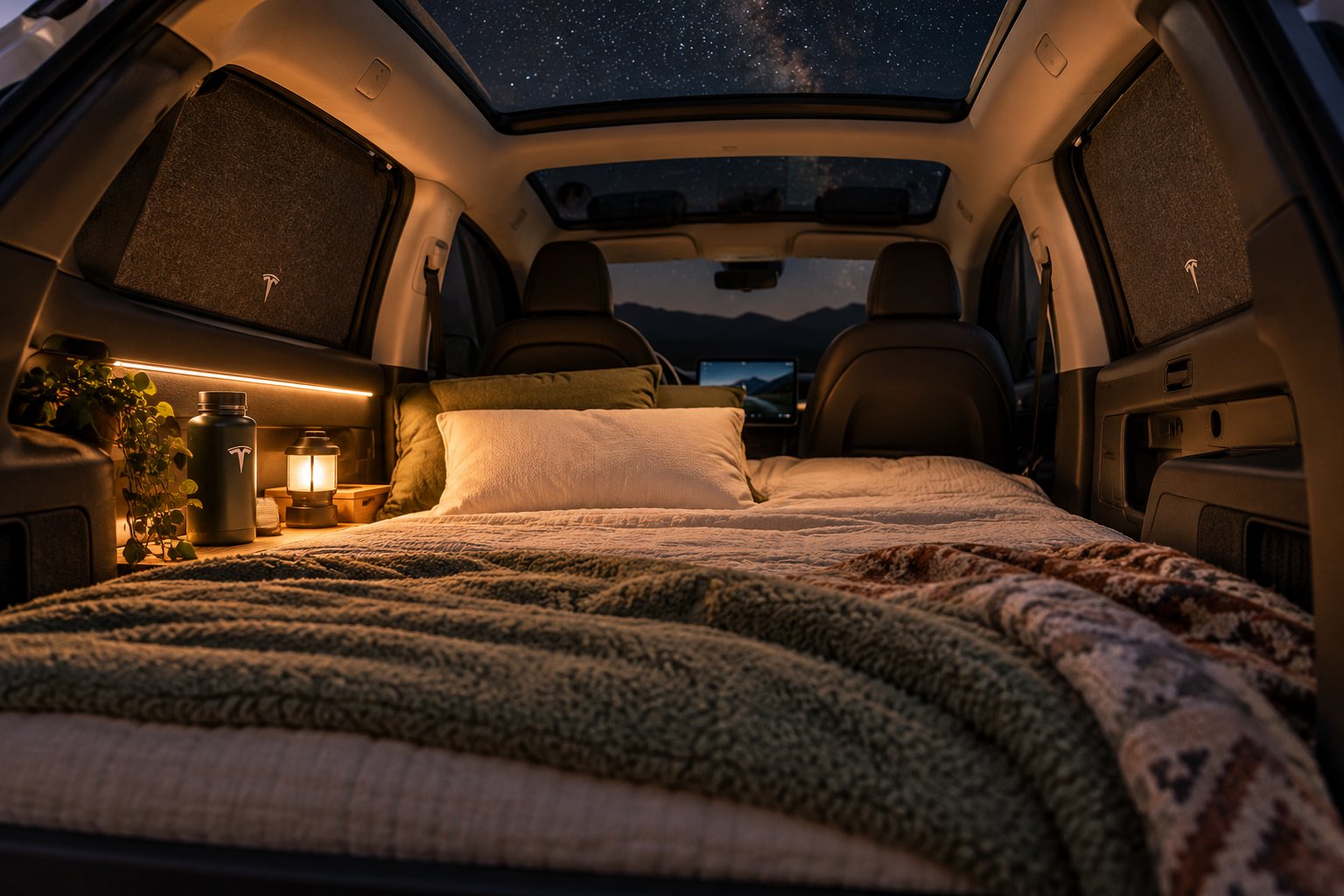
Setting Up a Comfortable Tesla Sleeping System
Camp Mode handles the air. It does not handle the surface you are lying on. You can nail the battery math perfectly — arrive with the right charge, set an efficient climate temperature, build in a generous safety buffer — and still have a miserable night because you are trying to sleep on a hard cargo floor with a folded beach towel under your hip. The climate system keeps you warm; the sleeping setup determines whether you actually rest.
Tesla's cargo area, with the rear seats folded flat, creates a surprisingly usable bedroom footprint. The Model Y offers roughly 83 inches of length from the folded seatbacks to the tailgate, while the Model 3 is slightly shorter at around 71 to 73 inches. Width varies from about 38 inches at the narrowest pinch points to nearly 50 inches at the widest. Those dimensions are enough for one person to sleep comfortably or two people to sleep cozily — but only if the mattress actually fills the space correctly.
Choosing a Mattress That Fits Your Tesla
Imagine rolling out a standard rectangular air mattress in your Model Y's cargo area. It bumps against the wheel wells, leaves wedge-shaped gaps along the sides, and rides up over the hinge where the seat meets the trunk floor. You spend ten minutes wrestling it into position, then lie down and immediately feel the uneven seam underneath your lower back. That experience is exactly why model-specific mattresses exist — and why generic "SUV camping pads" consistently disappoint Tesla owners.
Three main categories dominate the tesla model y camping mattress setup conversation, each with distinct tradeoffs:
Memory foam mattresses cut to fit. These are typically three to six inches thick, contoured to match the exact cargo dimensions of a specific Tesla model, and designed to bridge the gap between the trunk floor and the folded seat backs. The advantage is consistent support and zero inflation hassle — unroll it and you are done. The downside is bulk. A thick foam mattress does not pack small, and it can eat up valuable trunk space during the drive. Some owners dedicate the sub-trunk to a folded foam pad and build the rest of their gear around it. One Model Y owner initially tried a three-inch memory foam mattress but found it too thin, upgrading to a thicker self-inflating pad for better overnight comfort — a common pattern that suggests erring on the side of more cushion rather than less.
Inflatable air mattresses designed for specific models. These pack down to a fraction of their inflated size, making them ideal for trips where trunk space is shared with hiking gear, coolers, or luggage. Tesla sells an official Model Y Air Mattress measuring 74.4 by 50.4 by 3.12 inches that ships with a carry bag, air pump, adaptor, and repair patches. Third-party options from various manufacturers follow a similar model-specific approach. The tradeoff is comfort consistency — air mattresses can lose pressure overnight, and a slow leak at 2 AM turns a good sleeping surface into a deflated disappointment. Always pack the repair kit.
DIY solutions. Some owners skip the branded route entirely and trim a standard foam mattress to fit with a utility knife, or combine a folding tri-fold pad with towels stuffed into the gaps. This approach costs the least and allows total customization, but the fit is never as clean as a purpose-built option, and the setup time increases with every improvised adjustment.
One important detail that catches first-time buyers: Model 3 and Model Y have different cargo dimensions, different wheel well positions, and different trunk floor contours. A mattress designed for the Model Y will not fit the Model 3 properly, and vice versa. Always verify model compatibility before purchasing. CUTIM's Tesla Mattresses & Camping collection brings together foam and inflatable mattresses for different Tesla sleeping setups, allowing Model 3 and Model Y owners to compare dimensions, packing requirements, and vehicle fitment side by side when planning a more comfortable overnight stay.
Sleep Comfort Tips That Do Not Affect Battery Drain
Here is a point worth stating explicitly: nothing in your bedding setup changes Camp Mode's climate behavior, screen settings, or energy consumption. The mattress you choose, the blanket you bring, and the pillow you pack are purely comfort decisions. They do not interact with the vehicle's software or battery management in any way. A thicker mattress does not make Camp Mode draw more power. Window shades help with insulation (a factor discussed in the drain-ranking section), but they are also a privacy essential — and privacy matters when you are sleeping in a glass-roofed car at a public campground.
Beyond the mattress itself, a handful of tesla overnight sleeping accessories make a meaningful difference in sleep quality without adding complexity:
- Window covers and privacy shades: A full set covering the windshield, side windows, rear glass, and panoramic roof blocks light from passing headlights, campground lanterns, and early morning sun. They also provide mild thermal insulation that eases the HVAC workload slightly. Purpose-built shade sets for Model 3 and Model Y use suction cups or friction fit and install in just a few minutes.
- Pillows and compact bedding: Bring pillows from home — they pack into the sub-trunk easily and are more comfortable than any inflatable camping pillow. A lightweight duvet or packable blanket layered over a lower Camp Mode setpoint lets you sleep warm while saving meaningful battery, as covered in the drain-factors section.
- Cargo organization for a flat sleeping surface: Move loose items to the frunk, footwells behind the front seats, or the sub-trunk compartment beneath the main cargo floor. A clean, uncluttered surface under the mattress prevents lumps and uneven spots that disrupt sleep. Some owners create a dedicated "camp mode" seat configuration with the front seats pushed fully forward, maximizing the flat area behind them.
- USB-powered ambient lighting: Small LED strip lights or clip-on reading lamps powered by the active USB ports give you controllable light without the harsh overhead LEDs. Useful for reading, organizing gear, or finding your water bottle at midnight.
- Ear plugs or a white noise app: Tesla's cabin is remarkably quiet, but the HVAC fan produces a low hum, and campground sounds — other vehicles, wildlife, wind — can intrude. A simple pair of foam ear plugs or a white noise app on your phone (charging via USB, of course) smooths out the audio environment.
The best mattress for tesla camp mode is ultimately the one that matches your specific model's cargo shape, supports your sleeping style, and packs conveniently enough that you will actually bring it on every trip. Get that right, and the climate-controlled cabin that Camp Mode provides turns from a clever feature into a genuinely comfortable bedroom — one where the only thing you need to worry about in the morning is how much charge you have left for the drive ahead.
That morning charge, of course, raises one final question that rarely gets addressed in camping guides: does using Camp Mode repeatedly, trip after trip, cause any lasting harm to the battery itself? The answer involves understanding how Tesla's battery management system handles sustained overnight loads — and whether the deep discharge cycles common in cold-weather camping accelerate long-term capacity loss.
Long-Term Battery Health and Tesla Camp Mode Battery Degradation
You have the overnight drain math dialed in, the sleeping setup sorted, and a trip-planning framework that turns vague anxiety into a concrete yes-or-no calculation. But one concern lingers — especially for owners who camp frequently rather than once or twice a year. Does tesla camp mode damage battery long term? If you run it a dozen weekends per season, year after year, are you quietly accelerating the day your pack loses noticeable capacity?
The short answer is reassuring. The longer answer comes with a single caveat worth understanding.
Does Repeated Camp Mode Use Affect Long-Term Battery Health
Camp Mode draws power from the high-voltage battery in exactly the same way driving does — the climate system, the 12V converter, the touchscreen, and the USB ports all pull current through the same battery management system (BMS) that monitors cell voltages, temperatures, and charge states every second the vehicle is awake. From the battery's perspective, supplying 1.5 kW to the HVAC compressor overnight is no different from supplying 1.5 kW to the drive motors during a slow roll through a parking lot. It is a normal, managed electrical load — not an abnormal stress event.
Tesla's BMS continues operating throughout every Camp Mode session. It balances cell groups, manages thermal limits, and enforces the Low Power Mode shutoff threshold to prevent the pack from reaching a dangerously low state of charge. Tesla's own Impact Report states that its battery packs are designed to outlast the vehicle itself, with an estimated usable life exceeding 200,000 miles in the U.S. That design target accounts for the full spectrum of normal usage — including sustained auxiliary loads like climate control during overnight stays.
The real tesla camp mode battery degradation concern is not Camp Mode itself. It is the charge cycling pattern that frequent unplugged camping can create. Every lithium-ion battery experiences gradual capacity loss as it moves through discharge-and-recharge cycles. The depth of those cycles matters: consistently draining from 90% down to 15% and then fully recharging places more electrochemical stress on the cells than shallower cycles between, say, 80% and 40%. This is true whether the energy goes to driving, Camp Mode, or any other load. The battery does not know or care why it was discharged — only how deeply and how often.
For occasional campers — a handful of trips per year — this is a non-issue. The additional deep cycles are a tiny fraction of the battery's total lifetime cycling. For dedicated overlanders who camp most weekends, the pattern is worth being mindful of. Standard Tesla battery care guidance recommends keeping the battery within moderate charge ranges for daily use and reserving full 100% charges for long trips. The same principle applies to camping: avoid routinely arriving at campsites with minimal charge, draining heavily overnight, and then fast-charging back to full the next morning. That deep-cycle-then-rapid-refill rhythm is the hardest pattern on lithium-ion chemistry over thousands of repetitions.
A few practical tesla camping tips for battery health keep you on the safe side without changing how you camp:
- Avoid consistently camping at very low states of charge. Arriving at 60% to 80% rather than 30% to 40% means the overnight session pulls you down to a moderate level rather than scraping the floor. The BMS safeguard will protect you either way, but the cells prefer not to spend extended time near the bottom of their range.
- Charge to 80% or 90% after a camping trip rather than 100%. Unless you need the full range immediately for your next drive, letting the pack rest at a moderate state of charge reduces calendar-aging stress on the cells.
- Install software updates promptly. Tesla pushes over-the-air updates that can optimize battery management algorithms, improve thermal regulation, and enhance charging profiles. These incremental improvements compound over years of ownership.
- Use a Level 2 charger at powered campsites when available. Plugging in overnight eliminates the deep discharge entirely — the HVAC runs off grid power while the battery stays topped up. This is the single best thing frequent campers can do for long-term pack health.
Bottom line: Camp Mode is a normal, BMS-managed load that does not cause undue degradation on its own. The only risk comes from a broader pattern of repeated deep cycling — and that risk is easily managed by arriving with a reasonable charge and avoiding the habit of routinely draining to the floor.
Key Takeaways for Tesla Campers
This article covered a lot of ground — hourly drain data, temperature scenarios, model-specific battery math, factor rankings, mode comparisons, trip-planning frameworks, sleeping setups, and long-term health. Here is everything distilled into the insights that matter most:
- Temperature is the dominant drain variable. The gap between the outside air and your cabin setpoint determines the overwhelming majority of your overnight energy consumption. Everything else — screen brightness, USB charging, interior lights — is a rounding error.
- Heating costs far more than cooling. A freezing winter night can drain two to three times more battery than a hot summer night. Resistive PTC heaters in pre-2021 models make the gap even wider. Heat-pump-equipped vehicles have a meaningful cold-weather advantage.
- Smaller batteries require more careful planning. A 30% overnight drain leaves a 60 kWh standard-range Model 3 or Model Y with roughly 42 kWh and an estimated 120 to 140 miles of range. The same percentage on a 95 kWh Model S or 123 kWh Cybertruck leaves a far more comfortable margin.
- Camp Mode is purpose-built for overnight stays. It manages climate, disables the alarm and walk-away lock, powers USB ports, and keeps the touchscreen accessible. Dog Mode and Keep Climate On serve different use cases and are not designed for sleeping in the vehicle.
- Always calculate your battery budget before committing to an unplugged campsite. Starting charge minus estimated overnight drain minus energy to reach the next charger minus a 10% to 15% safety buffer equals your margin. If the number is positive, the plan works. If not, charge more first or choose a closer campsite.
- Long-term battery health is not a significant concern with reasonable habits. Camp Mode is a normal load on the battery. Avoid routinely draining to very low levels, charge to 80% to 90% for daily use, and plug in at powered campsites when possible.
Tesla Camp Mode battery drain is predictable and manageable once you understand the variables — plan around temperature and distance to your next charger, and overnight camping becomes a reliable part of any Tesla road trip.
The anxiety behind most searches about overnight drain comes from uncertainty — not knowing whether the numbers will work out. Replace that uncertainty with the scenario tables, the model comparisons, and the five-step budget calculation from this article, and the answer stops being a guess. It becomes a plan. Camp confidently, sleep comfortably, and drive out in the morning with exactly the charge you expected.
Tesla Camp Mode Battery Drain: Frequently Asked Questions
1. How much battery does Tesla Camp Mode use per hour?
Most owners report Camp Mode consuming between 1% and 3% of battery per hour in mild to warm conditions. In cold weather near or below freezing, that figure can climb to 4% to 6% per hour because the cabin heater must work continuously to maintain a comfortable sleeping temperature. The exact rate depends primarily on the gap between outside air temperature and your climate setpoint — a mild 65°F night with minimal HVAC demand sits at the low end, while a 25°F winter night with active heating sits at the high end. Over a full eight-hour sleep, this translates to anywhere from 8% on a comfortable evening to 50% or more in freezing conditions.
2. Will Tesla Camp Mode drain the battery to zero?
No. Tesla's battery management system enforces a safety floor that prevents Camp Mode from fully depleting the pack. When the state of charge drops to your configured Low Power Mode threshold — adjustable between 10% and 20%, with 20% as the factory default — Camp Mode automatically shuts off and preserves the remaining energy so you can drive to a charger. However, relying on this cutoff means the climate system stops mid-sleep, and on a cold night the cabin temperature drops quickly. Planning your charge budget ahead of time so you never hit that threshold is always the better approach.
3. Does Tesla Camp Mode use more battery than Dog Mode or Keep Climate On?
The climate system — responsible for the vast majority of energy consumption — draws essentially the same power across all three modes. The differences lie in peripheral features. Keep Climate On is marginally the most efficient because the screen and USB ports power down. Dog Mode adds screen power to display a cabin temperature message. Camp Mode keeps the screen, USB ports, and 12V outlet active for full infotainment access and device charging. In practice, the total overnight difference between Camp Mode and Keep Climate On amounts to roughly one or two percent — a negligible trade-off for the dramatically better overnight experience Camp Mode provides, including disabled walk-away lock and controllable interior lighting.
4. Does using Camp Mode frequently damage the Tesla battery long term?
Camp Mode itself does not cause abnormal battery degradation. It draws current through the same battery management system that handles driving loads, and Tesla's BMS continues balancing cells and monitoring thermal limits throughout every session. The only long-term concern relates to repeated deep discharge cycles — consistently draining the battery to very low levels overnight and then fast-charging back to full. This cycling pattern can gradually stress lithium-ion cells over thousands of repetitions. Frequent campers can mitigate this by arriving at campsites with a reasonable charge level, plugging in at powered campsites when available, and charging to 80% to 90% rather than 100% for daily use.
5. How much charge should I have before using Tesla Camp Mode overnight?
The ideal starting charge depends on three factors: your estimated overnight drain based on temperature conditions, the energy needed to reach your next charging stop the following morning, and a 10% to 15% safety buffer. For a mild spring night where drain totals around 10% to 15%, arriving with 50% to 60% is usually sufficient. For a cold winter night where drain can reach 30% to 50%, arriving with 65% to 80% is safer — especially if your next Supercharger is more than 50 miles away. Running the five-step battery budget calculation before settling in eliminates guesswork and ensures you wake up with enough range for the morning drive.